
Bank alerts into an expense log, in one tap.
Paste a bank or e-wallet alert, snap a receipt or just say it. Kep finds the amount, money in or out, who, what for and when, and clips it into your log.
Three steps, a few seconds
No more retyping amounts, names and dates into a spreadsheet.
Paste, snap or say it
Copy a balance alert and tap Paste. Or snap a receipt, pick a screenshot, share from your banking app, or tap Voice.
Kep reads it for you
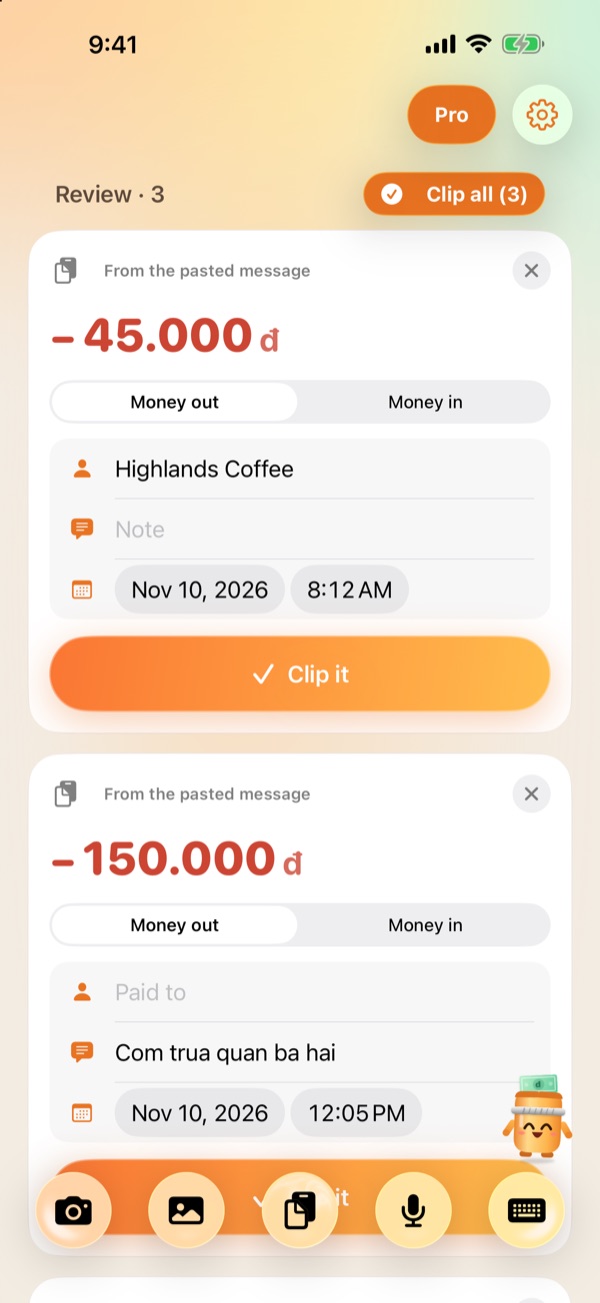
Kep finds the amount, money in or out, the sender or recipient, the note and the date. One screenshot of your history gives you every transaction at once.
One tap into your log
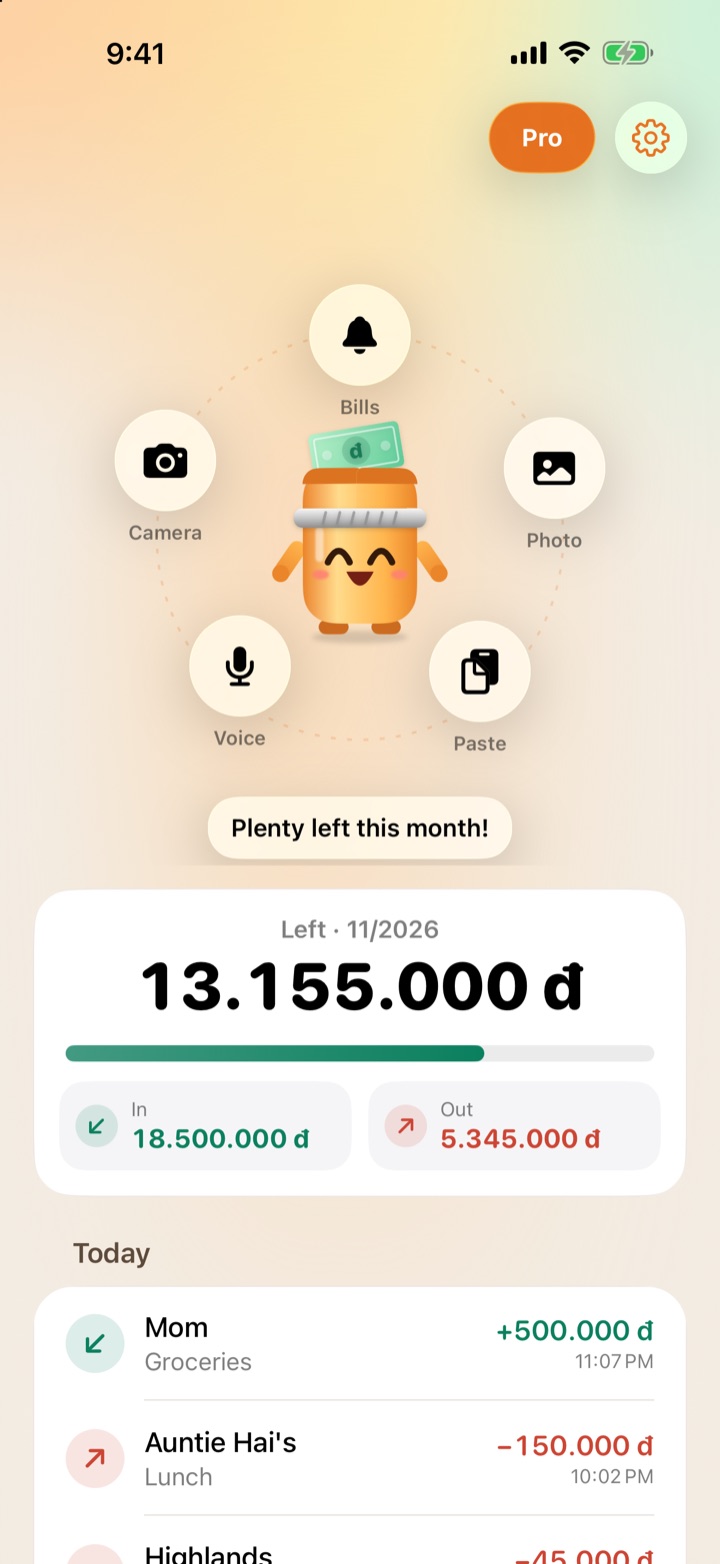
Review, edit if needed, then tap Clip it. The home screen shows this month at a glance: in, out and what's left.
Everything you need, nothing you don't
One job: knowing where your money went.
Many transactions at once
Screenshot your transaction history or paste several SMS alerts. Kep splits out each one and skips balance and fee lines.
Share from your bank or e-wallet
Tap Share in any app and pick Kep. Text and screenshots both work, without opening the app.
Just say it
Tap Voice and say "coffee 45 thousand" or "salary 15 million". Speech is recognized on your iPhone. Hold the button to type instead.
A mascot that feels your wallet
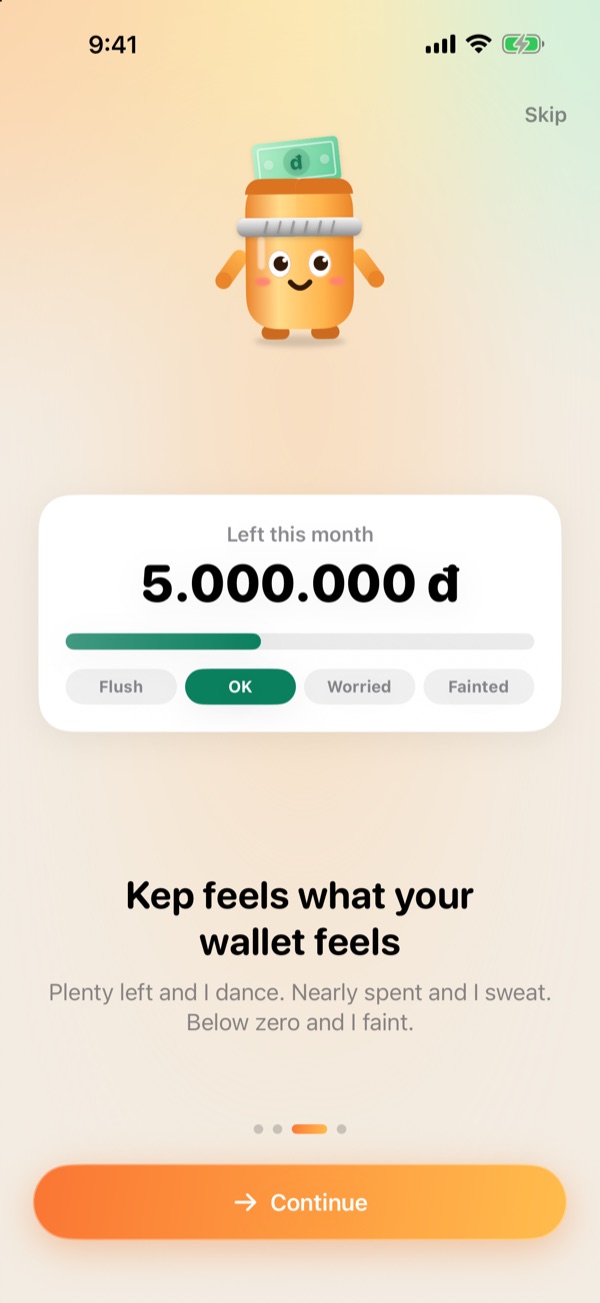
Plenty left this month and Kep dances. Almost spent and it starts sweating. In the red and it faints.
Recurring bill reminders
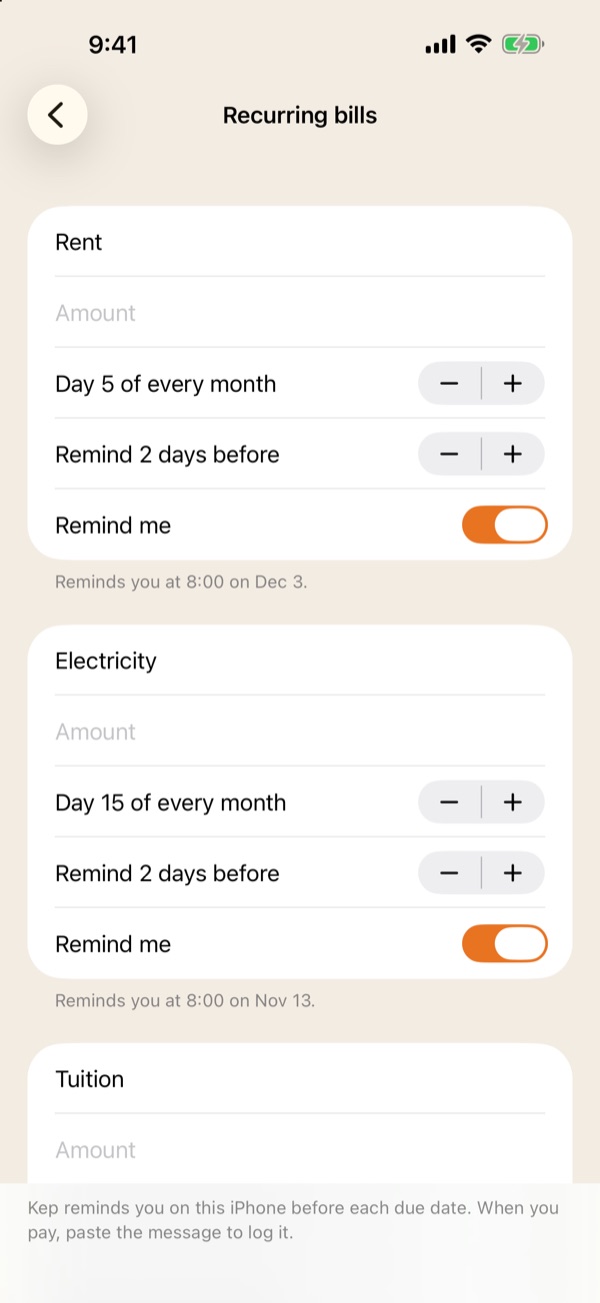
Rent, electricity, school fees: set the day of the month and Kep reminds you before it's due, with notifications scheduled on your iPhone.
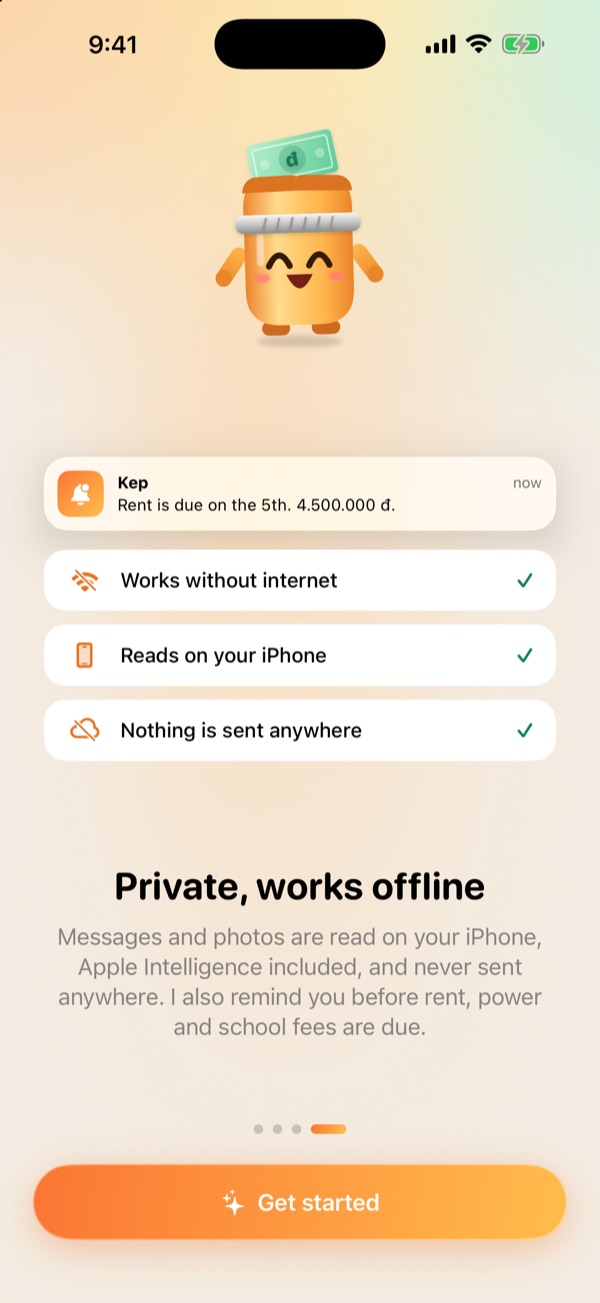
Private, works offline
No bank login, no account, no ads, no tracking. Your messages, photos and log stay on your iPhone.
Free to use, buy Pro once
No subscription. No servers to run, so the price stays friendly.
Free
- 15 automatic reads a month (paste, camera, photo, voice, share)
- Unlimited manual entries
- Recurring bill reminders
- The mood-tracking mascot
Kep Pro Lifetime
- Unlimited reads
- Home Screen and Lock Screen widgets
- Export your log to CSV for Numbers, Excel or Google Sheets
- Restore for free on another iPhone with the same Apple Account
Frequently asked questions
Do I need to connect my bank account?
No. Kep only reads what you give it: text you paste, a photo you pick or what you say. Kep never asks for a bank password or OTP.
Are my messages and photos uploaded anywhere?
No. Text in photos is recognized on your iPhone, and so is your voice. Kep has no servers and collects none of your data.
Which banks does Kep understand?
Balance alerts and transaction history from popular Vietnamese banks such as Vietcombank, Techcombank and MB, the MoMo and ZaloPay wallets, and receipts with a total. Kep reads Vietnamese and English. If something is off, fix it on the card before saving.
Which iPhones can use Kep?
Any iPhone on iOS 26 or later. With Apple Intelligence, Kep reads more carefully using the on-device model. Other iPhones still read offline with Kep's own reader.
Do I need an account?
No. Open the app and start.
What about Kep Pro on a new iPhone?
Kep Pro is a one-time purchase. On your new iPhone, go to Kep › Settings › Restore purchases with the same Apple Account.